
ATK, the Analyst Toolkit
An analyst's workbench that runs entirely on one machine. Documents, signals, radio, networks, images, people and places go in. By default every model that reads them is a local model and nothing is sent anywhere, and every claim that comes out can be clicked back to the sentence or the measurement that produced it.
ATK was built for work in places with no reliable connection and no reason to trust one: field medicine, casework, relief logistics. Those constraints, offline, portable, checkable and honest about what it does not know, turned out to be the right ones for everything else it does.
- Platform
- Windows 10 and 11
- Release
- 0.9.0-alpha
- Network
- None needed after install
- Telemetry
- None
- Install
- One folder, drive-letter portable
- Workspaces
- 20, each detachable to its own window
RF and radio
Collection is receive-only. Nothing is radiated to find, decode or locate a signal.
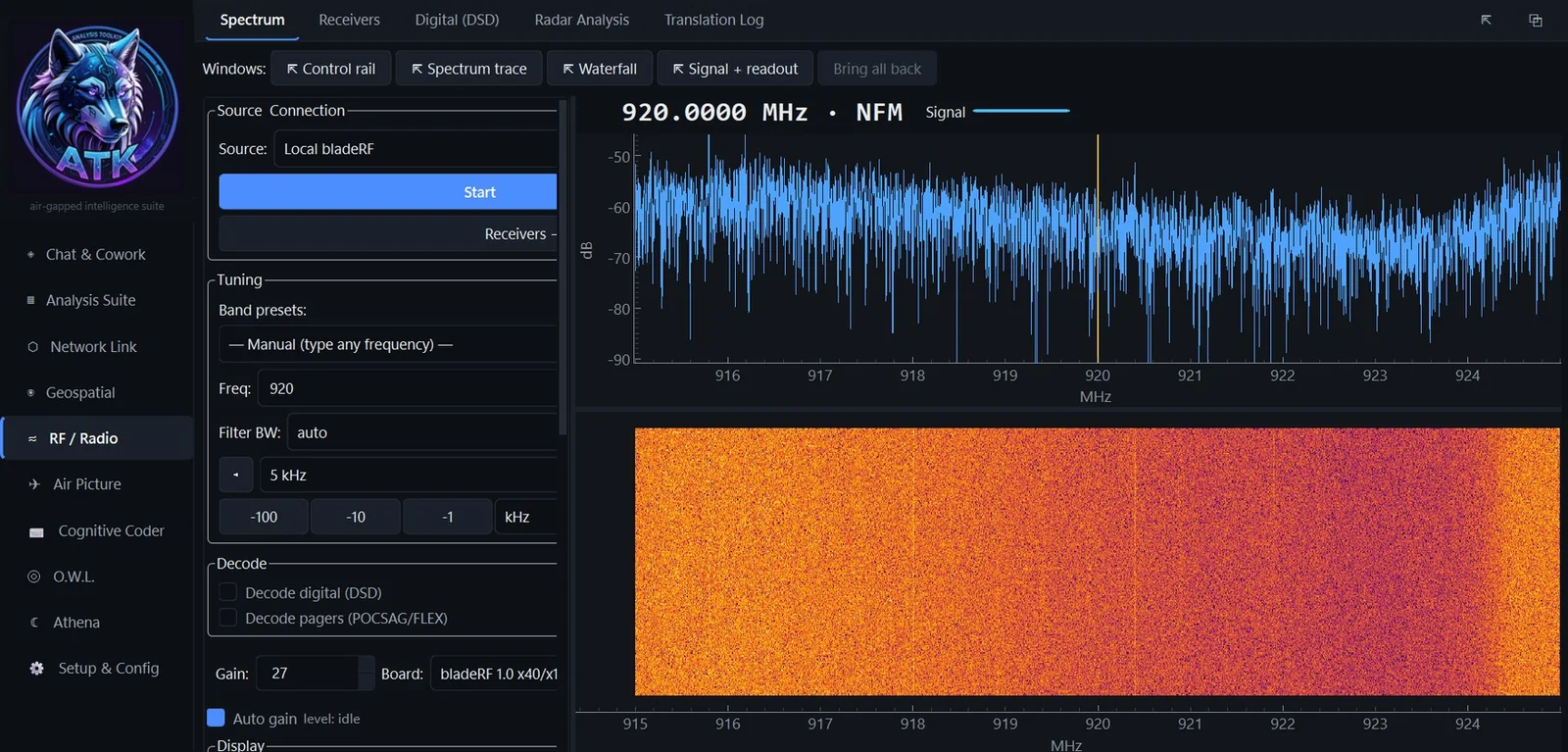
Spectrum, waterfall and decoders for voice, data, pager, aviation and cellular broadcast signals, with up to three receivers working at once.
- Three receiver slots, pinned by serial number. One radio can hold ADS-B while another works HF and a third sweeps, and replugging them does not reshuffle the assignment.
- Receivers described by what they can do. RTL-SDR, HackRF and both bladeRF generations are profiled today. Each receiver publishes its tuning range, sample rate and ADC depth, and ATK says which of the radios present can do the job before it fails at the tuner. Supporting a new receiver is a profile entry plus the command that streams from it.
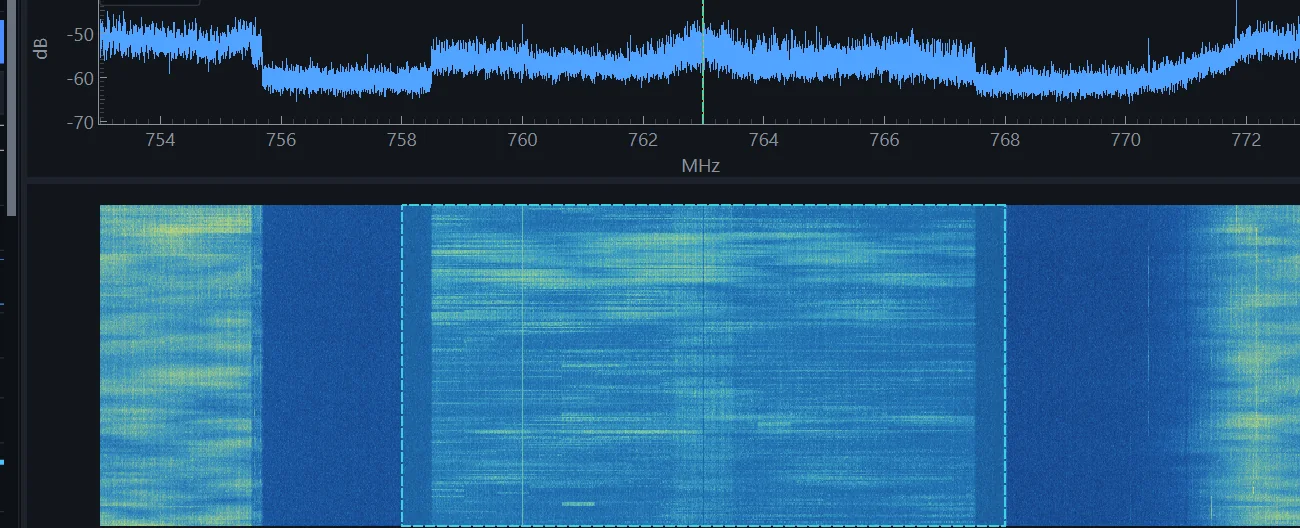
- Spectrum built for real bands. Swept spectrum beyond the instantaneous bandwidth, drag-to-tune, retuning without stopping, and a software AGC that measures the noise floor and the peak separately so it never winds gain to maximum on an empty band.
- Decoders in the same panel. Digital voice through the bundled DSD decoder, POCSAG and FLEX pagers, ADS-B, and cellular broadcast for calibration and survey.
- Intercepts you can check. Transcripts capture frequency, time and receiver position at the moment of transmission, with the audio kept beside every line. A translation log turns gated radio audio into a timestamped English digest.
- Recording without silent loss. The I/Q recorder writes SigMF. A full buffer ends a capture rather than quietly dropping samples.
- Radar analysis. A pulse bench: detection, pulse descriptor words, PRI by histogram and SDIF, de-interleaving and emitter identification against a library you curate. It reads SigMF, Midas BLUE and X-Midas and raw I/Q, so a capture from a receiver you do not own is analyzed exactly like your own.
RF Engineering
The arithmetic bench beside the radio: forty closed-form calculators for antennas, paths, feedlines, noise and sampling, plus eighteen antenna designs. Every answer shows its working with your numbers in it, the assumptions it applied and what it is most sensitive to, and gives lengths in metric and imperial at once. No model is involved in the arithmetic.
- Antenna designs. Eighteen designs in four families, each with a cut list: wire and vertical antennas such as the dipole, ground plane, end-fed half-wave, J-pole and coaxial collinear; loops and broadband antennas such as the delta loop and discone; microwave and aperture designs including the helix, biquad, cantenna, patch, parabolic dish and corner reflector; and empirical designs, such as the Yagi, Moxon and cubical quad, that say they are empirical.
- Path and link. Free-space path loss, link budget, EIRP and ERP, Fresnel zone, radio horizon and the radar range equation.
- Lines and matching. VSWR, return loss and reflection coefficient, feedline loss and skin depth.
- Noise and receiver. Thermal noise floor, sensitivity and spurious-free dynamic range.
- Sampling. Minimum sample rate, bandpass sampling windows, ADC dynamic range, processing gain and Doppler shift.
- Direction-finding arrays. The right KrakenSDR array radius for a band, drawn to scale, with a full-size template to print.
- Salvage. Describe what you have in plain words, such as a paint tin with its inside diameter or a length of speaker wire, and ATK works out what each object can become and at what frequency. Nothing supplies a size for you.
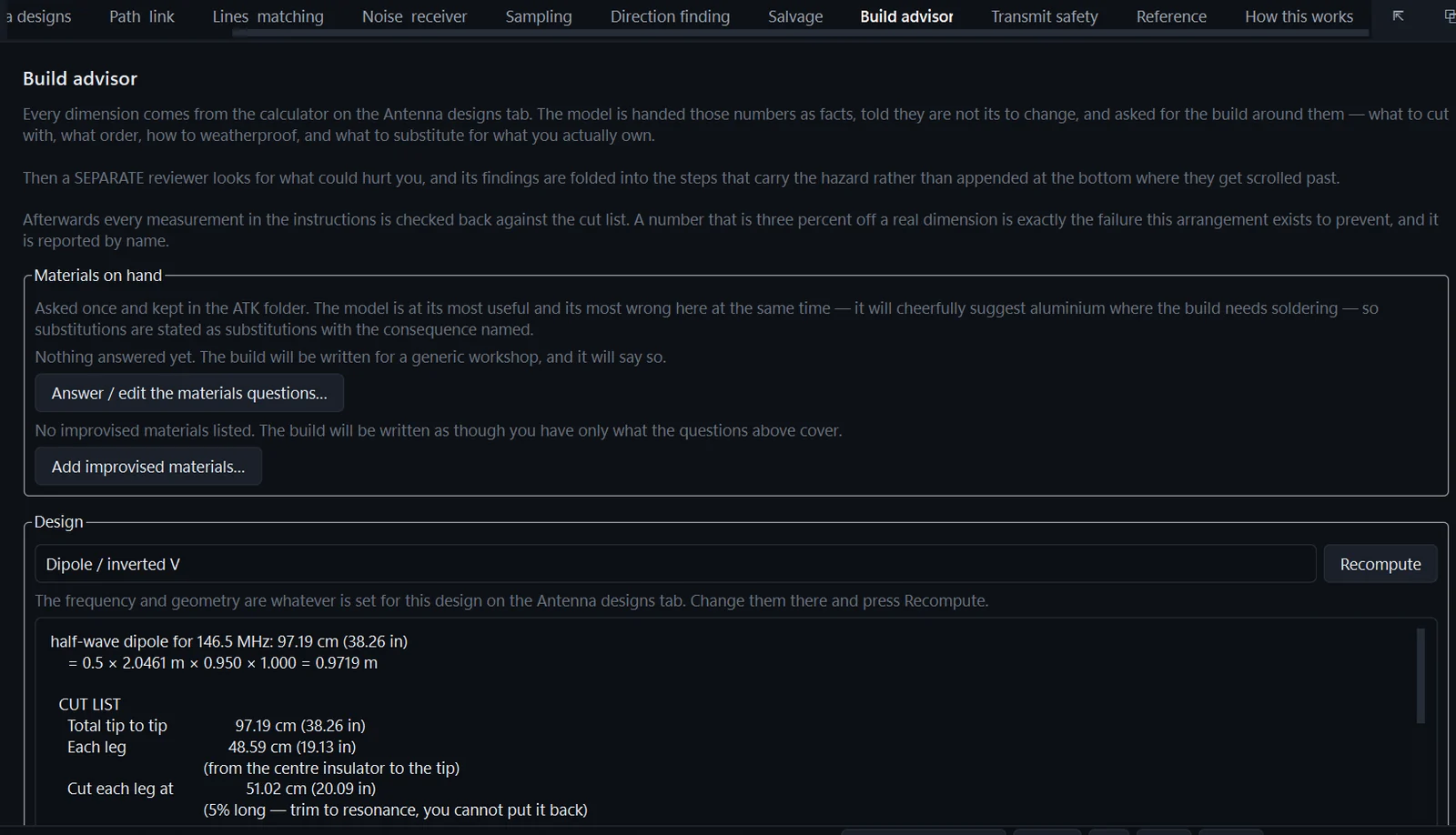
- Build advisor. Pick a design and the local model writes the build instructions around the calculator's dimensions, which it is told are not its to change. A separate reviewer looks for hazards and folds its findings into the steps they affect, and every measurement in the instructions is checked back against the cut list.
- Units are part of the answer. A blank field is never treated as zero, every form states its units, and a calculator refuses an answer it cannot support.
- Reference figures, never defaults. Velocity factors by line type are there to look up, but none is applied for you, because picking a cable for you is picking wrong for the one you have.
- Transmit safety. A page of attenuation arithmetic for cabled bench tests into attenuators or a dummy load. Nothing transmits from it.
Direction finding
Coherent direction finding with a five-channel KrakenSDR, built to go further than a basic setup: calibration that survives retunes, bearings with stated uncertainty, and direction finding on a transmission after it has ended.
- Coherent acquisition. ATK's own five-channel acquisition program reads the array off a single shared clock. Every frame carries a calibration passport, and frames that fail it are marked unusable rather than used.
- Calibration that survives retunes. On first light on the bench, the calibration residual was 0.81–0.89°, and 19 of 20 retunes kept their sample delays.
- DF of a past transmission. Draw a box on the waterfall around a burst that has already ended and take a bearing on it. The full five-channel recording is kept, so any clip can be replayed with new settings.
- Bearings and fixes with honest uncertainty. A full 360° spatial spectrum, a bearing history and a bearing log. Lines of bearing fuse into a fix with an error ellipse that models each source's systematic bias.
- Built for static sites and vehicles. Heading from GPS course when there is no compass, a known reference emitter to check the array's orientation, an array planner with a printable full-size template, and a DF map that can pop out onto a second display.
- DF from recordings. Midas BLUE with ephemeris headers from a real DF system, or SigMF recordings ATK made itself with samples and GPS track together. A linear array's mirror ambiguity is reported until a maneuver resolves it.
- Coherence tested against physics. A coherence claim is a claim about hardware. ATK tests it against what physics allows. The test can disprove coherence but never establish it, so a claim it cannot disprove is still reported as a claim.
- Bearings keyed by radio ID for DMR, P25 and TETRA, with a named roster and alerts when a radio stops checking in. In development
- Live sharing as a self-refreshing KML, GeoJSON, a phone roster page and Cursor-on-Target to ATAK. In development
- Fusion of fixes from several stations. In development
Direction finding has completed bench first light. No field accuracy figures are published until the field test is done.
AI signal detection
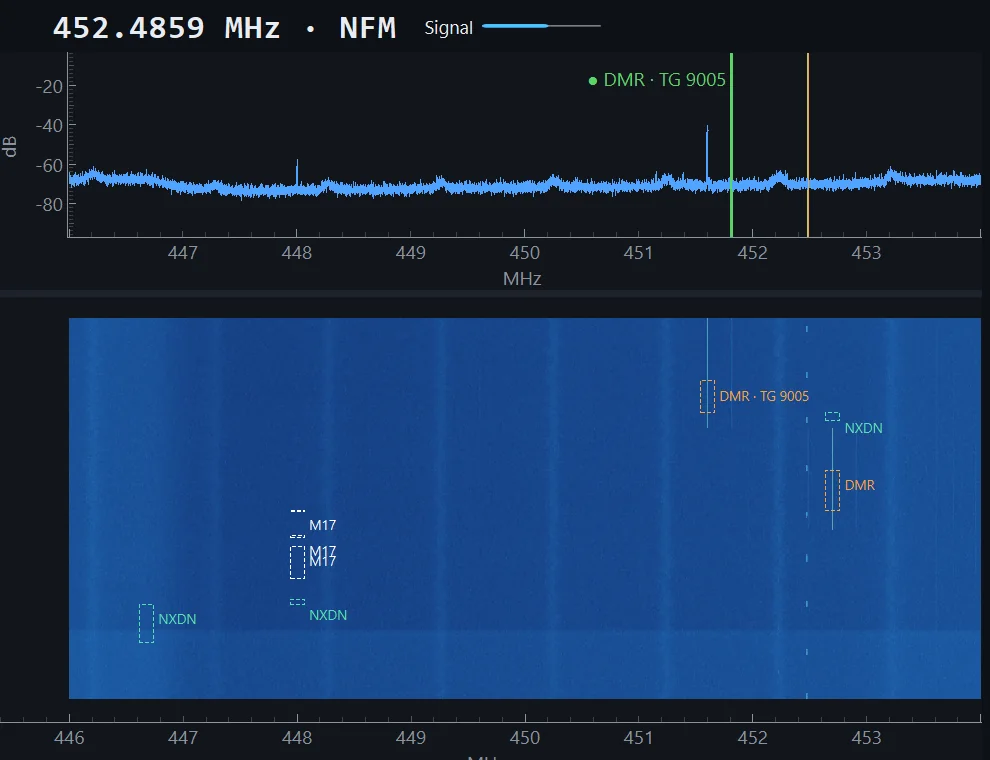
ATK finds, boxes and measures signals on a live or recorded waterfall and labels the classes it knows. A detection stays proposed until a decoder confirms it.
- Three detectors, disagreements kept. An energy detector that is always on, a cyclostationary detector for known signals below the energy floor, and a learned detector that runs on the CPU. Where they disagree, ATK shows it.
- Hunt (Autonomous Intelligent Collection). State the goal in words and Hunt works the band unattended within a bounded, receive-only set of actions, logging every decision. A dry run on a simulated band shows what it would do first.
- Sift. A blind cyclostationary search for signals below the noise floor. It records first, confirms, and keeps what it finds as SigMF. On synthetic data it confirmed 9 of 10 signals at −15 dB.
- Cut, analyze, clean, route. Right-click any box to cut the signal, measure it, clean it with matched, Wiener or cyclic filters, and send it to every tool that takes that class of signal.
- Trained for a region without going there. Detectors train on realistic synthetic signals, per receiver profile, at the same sample rate used in the field.
- Confirmation and teaching in the interface. The decoder confirmer, an honest UNKNOWN for signals that match no known class, and a prototype bank that lets you name such a signal so ATK recognizes it next time, are built as engines and being wired into the interface. In development
Signals analysis
A measurement bench for taking one isolated signal apart. It measures everything cheap, says what the measurements support, and suggests what to try next.
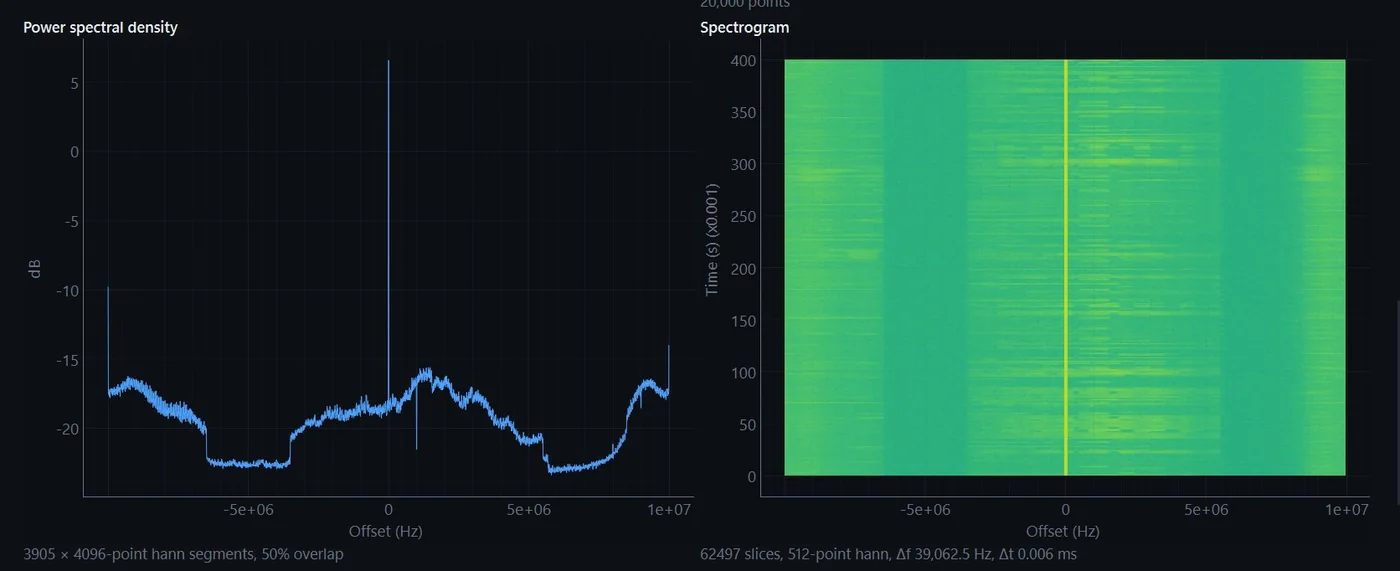
- Instruments. Four-up views, power spectral density, spectrogram and eye diagram; nonlinear transforms for modulation order and symbol rate; time-frequency analysis.
- Detection. A blind-detector ensemble, plus matched filtering against your own signature library.
- Cyclostationary engine for features that noise does not have.
- The bit level. Slicing, line codes, frame sync and scrambler search. Every search carries its own null hypothesis, so a stream nobody scrambled is reported as unscrambled.
- A dossier for every result. Each measurement records its value, unit, confidence, method and caveats. Units are mandatory, and thresholds are derived or measured, never hand-tuned.
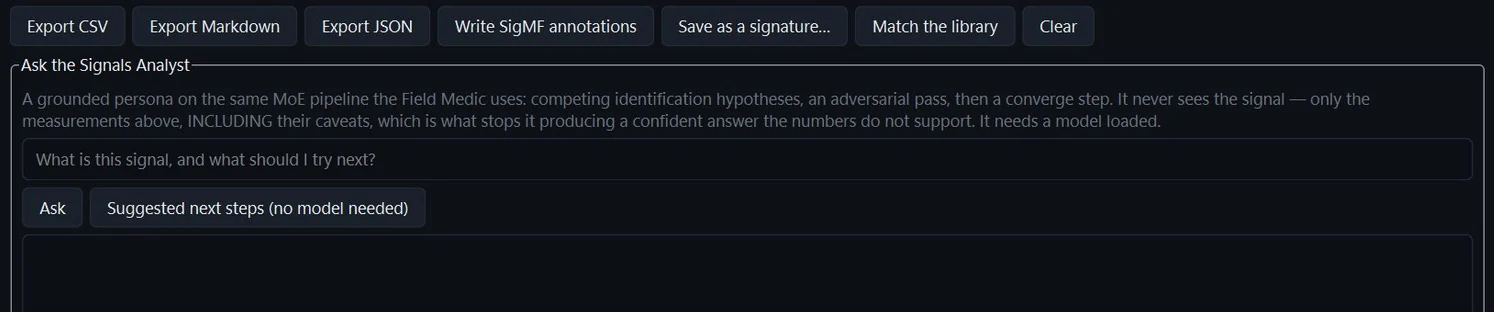
- Ask the Signals Analyst. An AI analyst that reads the dossier, never the signal itself: every measurement with its caveats. It weighs competing identifications, runs an adversarial pass, then converges on two to four ranked candidates, each citing the measured features for and against it, and says which decoder to try. It never states a number that was not measured, and "insufficient data, measure this next" counts as an answer.
- Suggested next steps, no model needed. Worked out from which measurements exist. No symbol rate yet: run the cyclic symbol-rate probe. A known rate: run timing recovery. A pulse repetition frequency: take it to the pulse bench.
- A library of published modes. 63 entries covering 41 modes, from HF modems and FSK modes to DMR, P25, TETRA, AIS and LTE, each citing the publication it comes from. Match the library compares a dossier against it. Field-proven
Link analysis
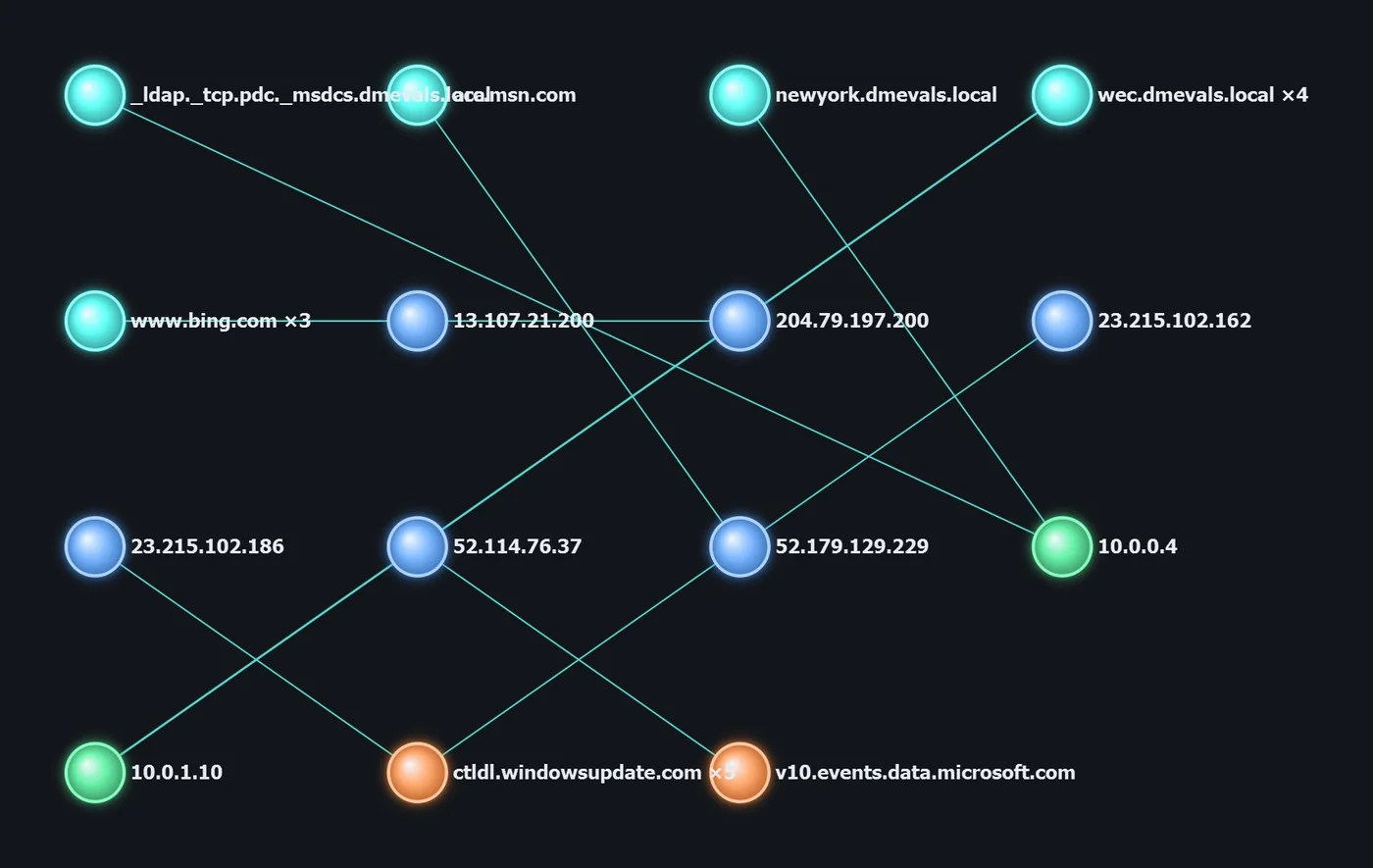
Documents, transcripts and reports become link charts, profiles and maps, and every node keeps the passage it came from.
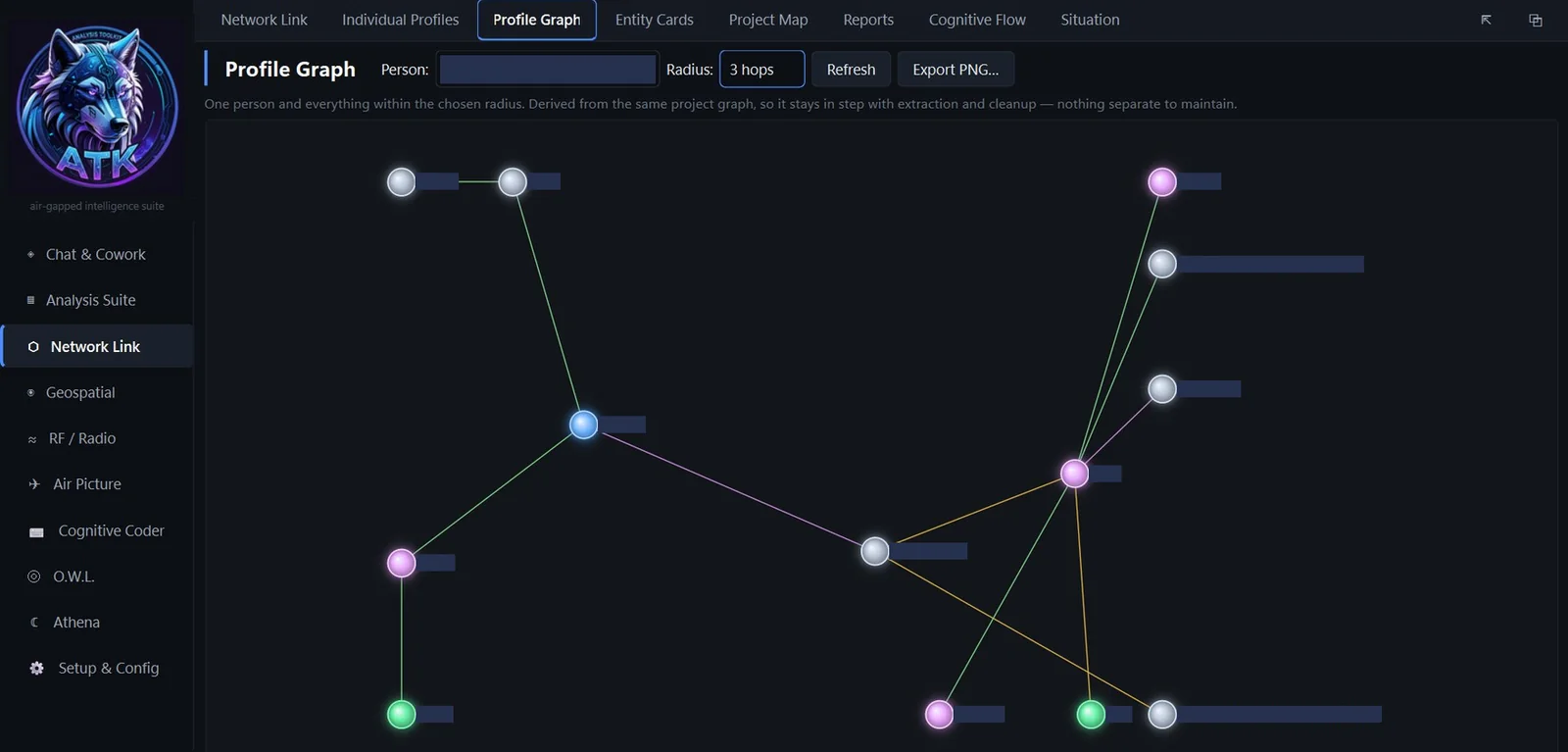
- Network Link. Link chart, individual profiles (target profiles), n-hop profile graphs, entity cards, project map, reports and a situation board. Cognitive Flow shows the model's extraction passes as they run.
- Traceable extraction. Every entity records the exact character span it came from. Duplicates are proposed with reasons and never merged without the analyst's confirmation.
- Watchlist, encrypted at rest when the ledger is.
- Every finding goes to the ledger. Extraction, reports and assessments land in O.W.L., the evidence ledger, described below.
- Analysis Suite. OCR, batch folder ingestion, audio transcription, meeting notes and analysis of communication timelines.
- Writing Workshop. For the long documents analysts produce: reports, manuals, books. Nothing writes into the manuscript but the author.

O.W.L., the evidence ledger
The Observation & Wisdom Ledger is ATK's memory, and it can always say how it knows. It also does what most memory systems leave out: when something turns out to be wrong, it finds what was decided on it.
- Nothing is overwritten. Evidence is append-only. A correction supersedes the old record, which is kept and marked, so the original wording is never lost.
- Reconsider. Decisions resting on something that has since been superseded or discredited are listed worst first, with whether they can still be reversed.
- Why? The full chain of records behind any conclusion, back to the source passage.
- Certainty cannot grow on the way up. A conclusion is never more confident than what it rests on, and anything derived from a hypothesis stays a hypothesis. Both rules are checked on every write.
- Sources and people are graded. Sources carry Admiralty-scale grades. Claims are recorded against who made them, and each person earns a track record once enough claims are confirmed or refuted. Promises with dates are tracked to kept or broken.
- Lessons. "Tried and failed" and "looked, not there" are recorded, and a proposal that matches a past failure brings the lesson into the conversation.
- The Brief. What needs you first, built from the ledger every time, never written by a model.
- Replay. Ask an old question again and see what has changed since: what is no longer returned, and what is new.
- Forget is not delete. Forgetting takes a record out of recall and needs a reason; the record stays in the store.
- Handover. Give the ledger to the next analyst as a checksummed pack. What comes in from someone else is demoted: their observations arrive as reports.
- Small and private. No model, GPU or network needed. A store is one file, and it can be encrypted at rest with AES-256-GCM using a key bound to the Windows account.
Translation
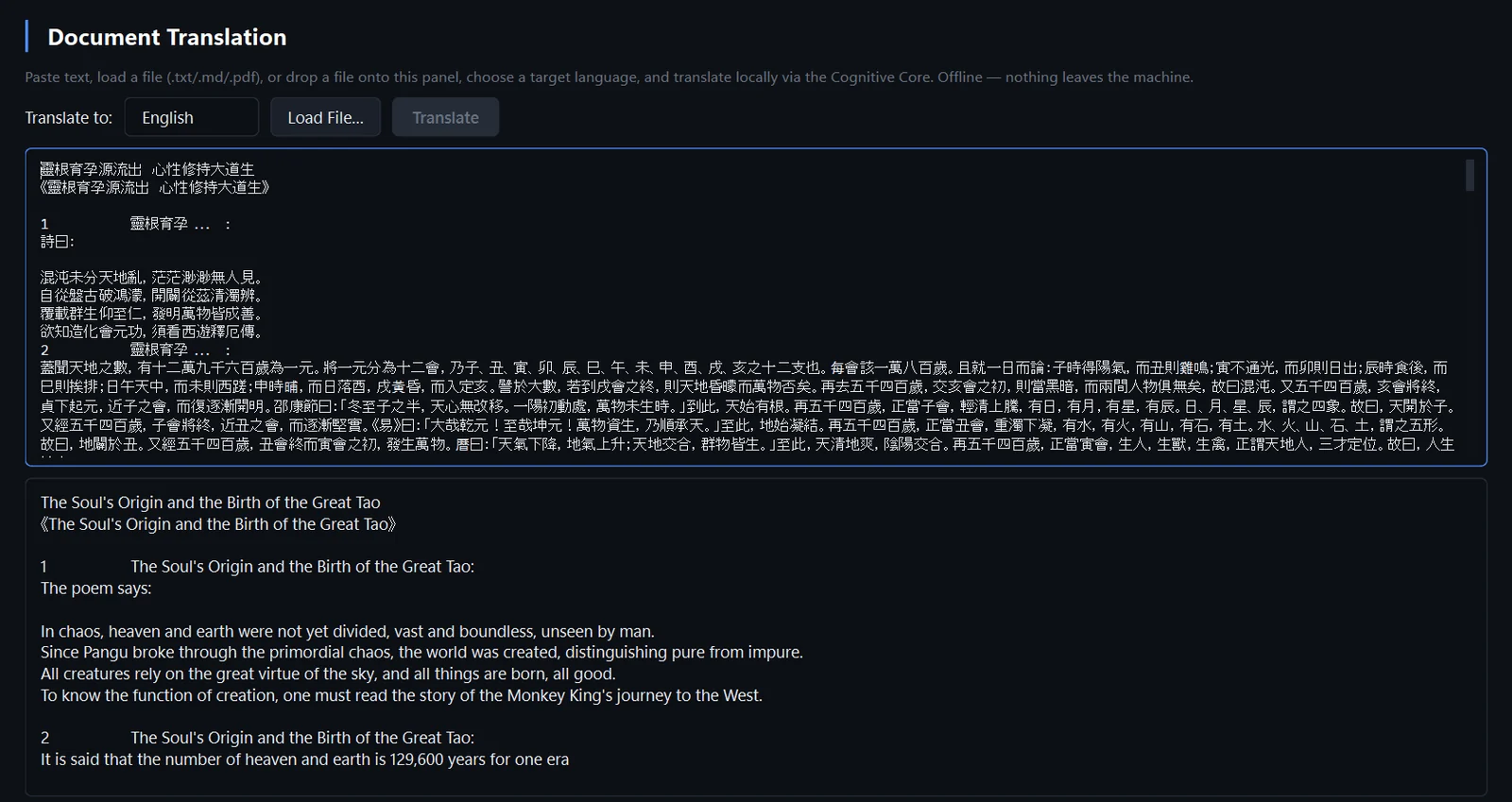
Translation runs on the laptop with the loaded model. Documents, recordings and radio traffic in another language can be worked without anything leaving the machine.
- Documents translated in place, keeping the file's own format.
- Speech. Audio and meeting transcription on the device, with translation into English.
- Radio traffic. A translation log turns gated radio audio into a timestamped English digest you can pull into the project.
- Real-time bilingual intermediary. Speak in your language and ATK translates and speaks for you, so you can talk with someone who shares no language with you.
- Hidden instructions are translated, not obeyed. The source text is fenced off from the model's instructions, so a document that tries to give the model orders is simply translated.
Maps and air picture
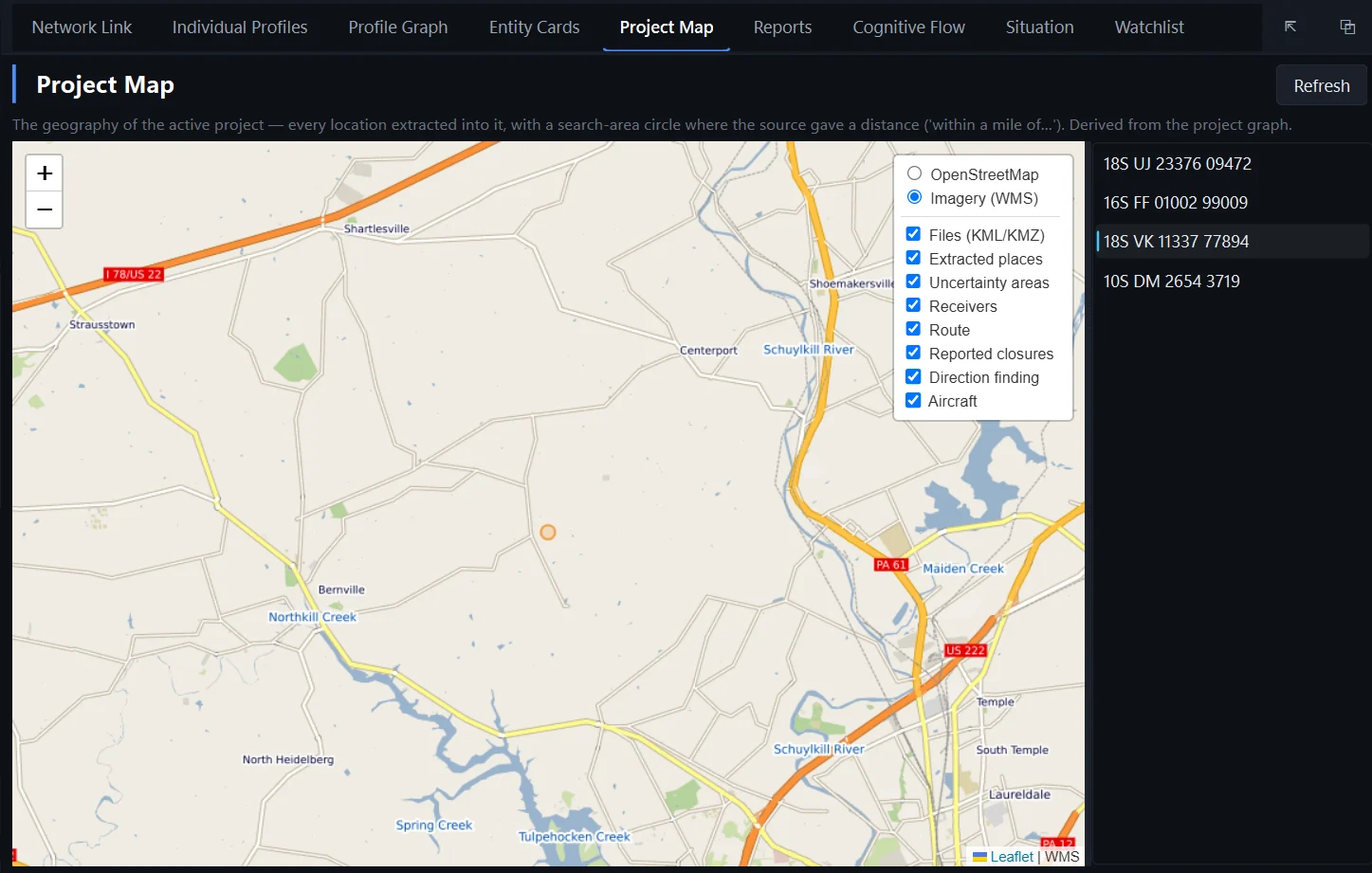
One offline map carries every workspace's layer: places from documents, intercepts, bearings and fixes, aircraft and team positions.
- Geospatial. An offline map canvas with KML and KMZ in both directions, MGRS, and live GPS telemetry from a USB receiver.
- One map, every layer. Files, places extracted from documents, uncertainty areas, receivers, routes, reported closures, direction finding and aircraft, each switched on or off. Where a source only says "within a mile of", the place is drawn as a search-area circle rather than a pin.
- Air Picture. ADS-B aircraft tracking from a local receiver, with a watchlist.
- Honest about places. Locations that cannot be placed get their own list instead of being dropped.
- Cameras. Monitor and record cameras you own or have been granted access to, and public feeds such as traffic cameras. In development

Cyber defense
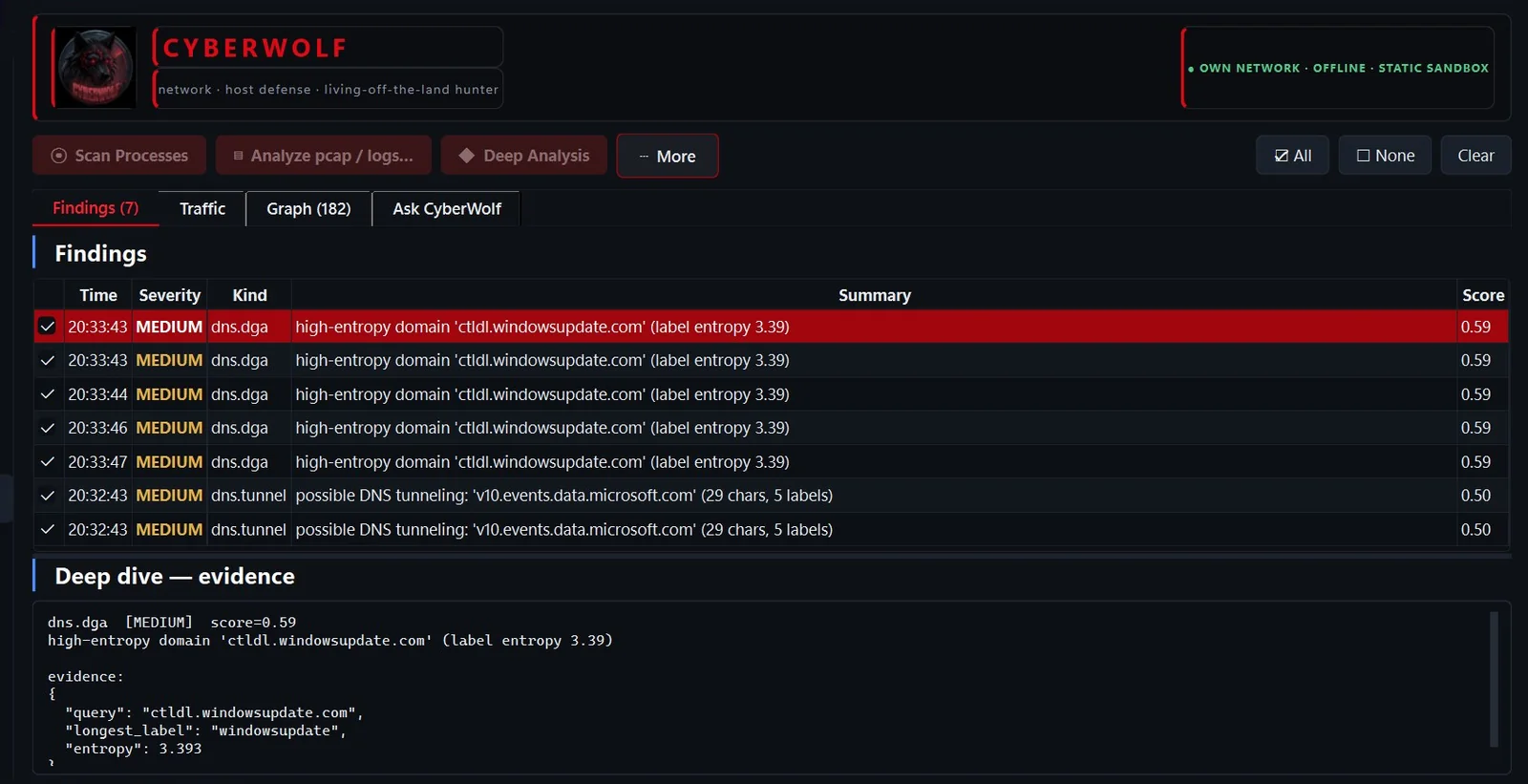
CyberWolf is a defensive network and host analyzer for your own networks. It works offline, keeps a persistent ledger of the external actors it has seen, and is built to answer questions from the evidence in the case file.
- CyberWolf. Process scans, packet capture and log analysis, Windows event logs, a timeline, ATT&CK mapping, static triage of carved files, saved hunts, and a deep analysis that weighs each finding from several angles.
- Ask CyberWolf. Interrogate the case: why was this host flagged, what touched it. It is instructed to say when something is not in the case file rather than guess.
- A panel of AI analysts. Deep Analysis weighs each finding through separate analyst lenses, including a skeptic who argues the benign explanation first. See AI assistants.
Digital forensics
A forensic workbench that never opens evidence for writing, and says on screen what software protection cannot do: for evidence that will be presented anywhere it matters, use a hardware write blocker.
- Read-only by construction. Evidence is opened in exactly one place, read-only. Any code that writes outside a short, named list of case writers fails the build.
- Cases and custody. Examiner, case and a custody log of every action, with a check that verifies the custody chain.
- Hashing and timestamps. MD5, SHA-1 and SHA-256 in a single read. Timestamps are measured before and after each read, so a change is observed rather than assumed away.
- Files. A manifest filtered to what an examiner looks for. File type is decided by the bytes, never the name, and a name that disagrees is flagged.
- Disk images. Partitions, NTFS records, the change journal and slack space, with recovery that records its reason.
- Carving. Every carved file is a candidate, never a conclusion.
- Findings. Proposed first, then confirmed or rejected by the examiner. Confirming is a custodial act and goes in the custody log.
- Audio. Restore Audio measures a recording before ranking the fixes. Voice Print compares a voice with known speakers enrolled in the case and reports a lead, never an identification.
- Browser artifacts. Browser databases are copied into the case and the copies are read. The evidence is never opened by the database engine.
- Write protection, verified. ATK can set Windows' USB write-protect policy, then verifies it by attempting a write to a test device. An applied policy is not reported as protection until a device has refused a write.
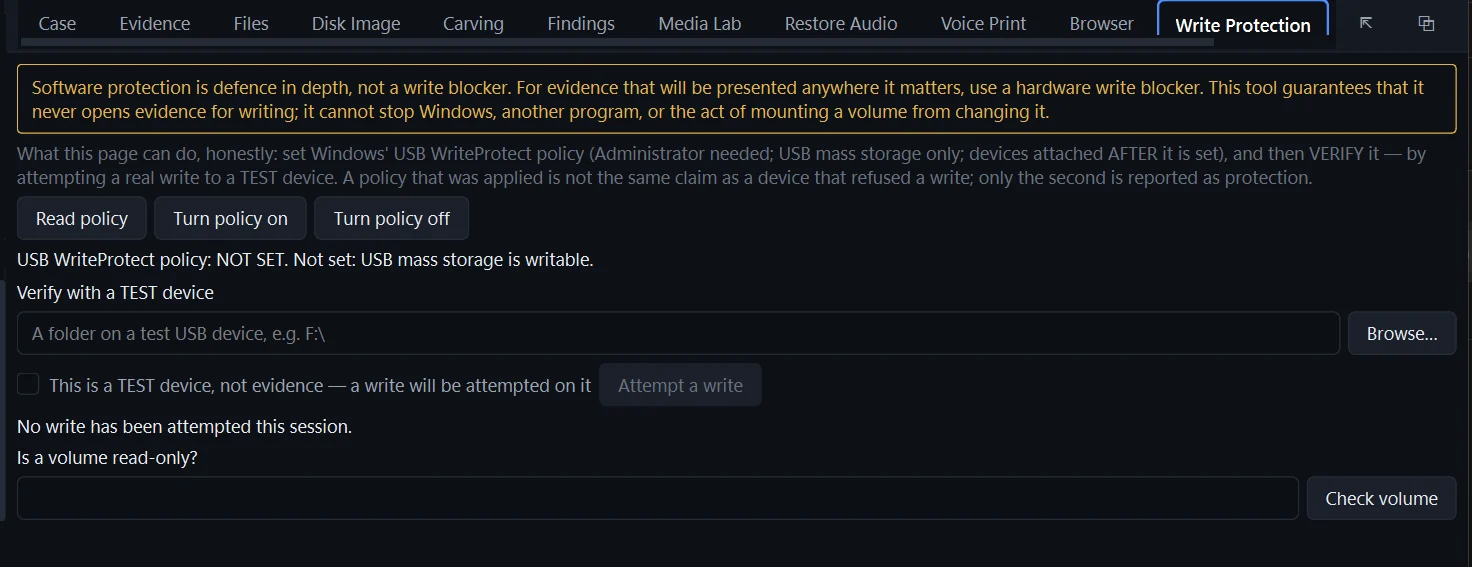
Image Analysis
A folder of ten thousand images is an afternoon, not a utility. Image Analysis asks a local vision model the same questions of every image, one question at a time, and puts what it flags in front of a person, worst first.
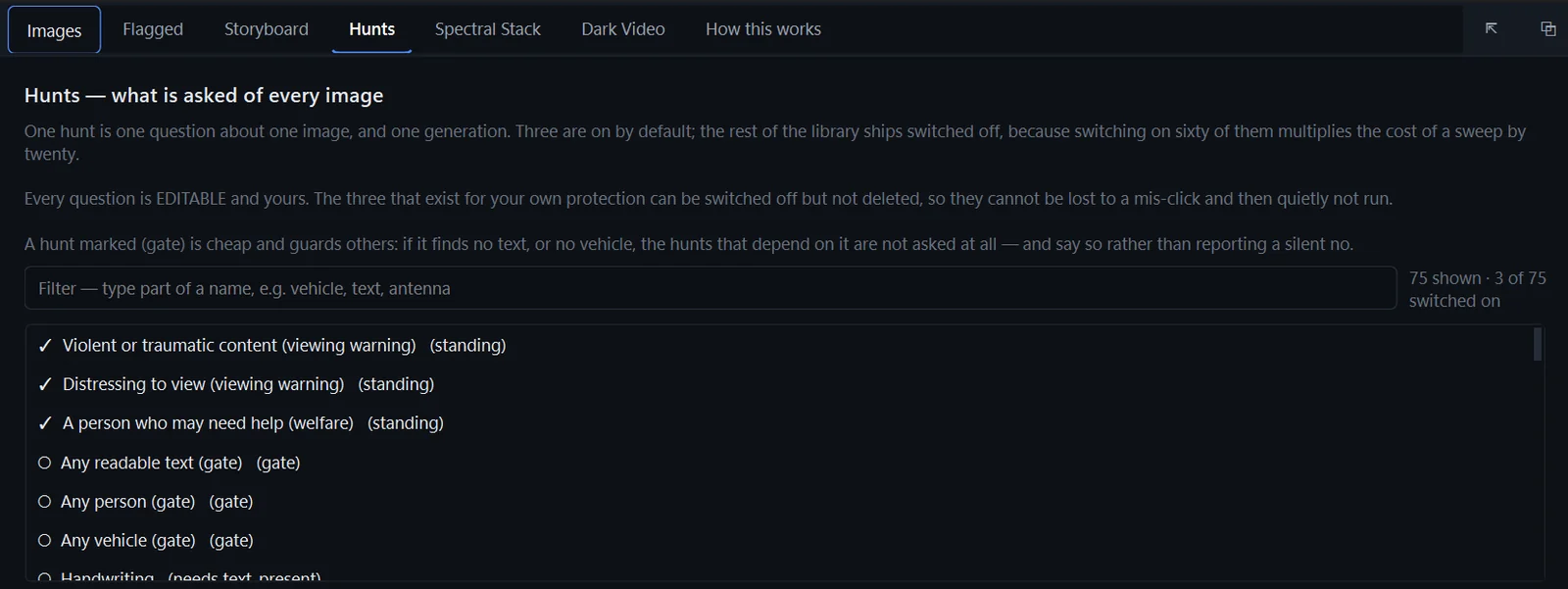
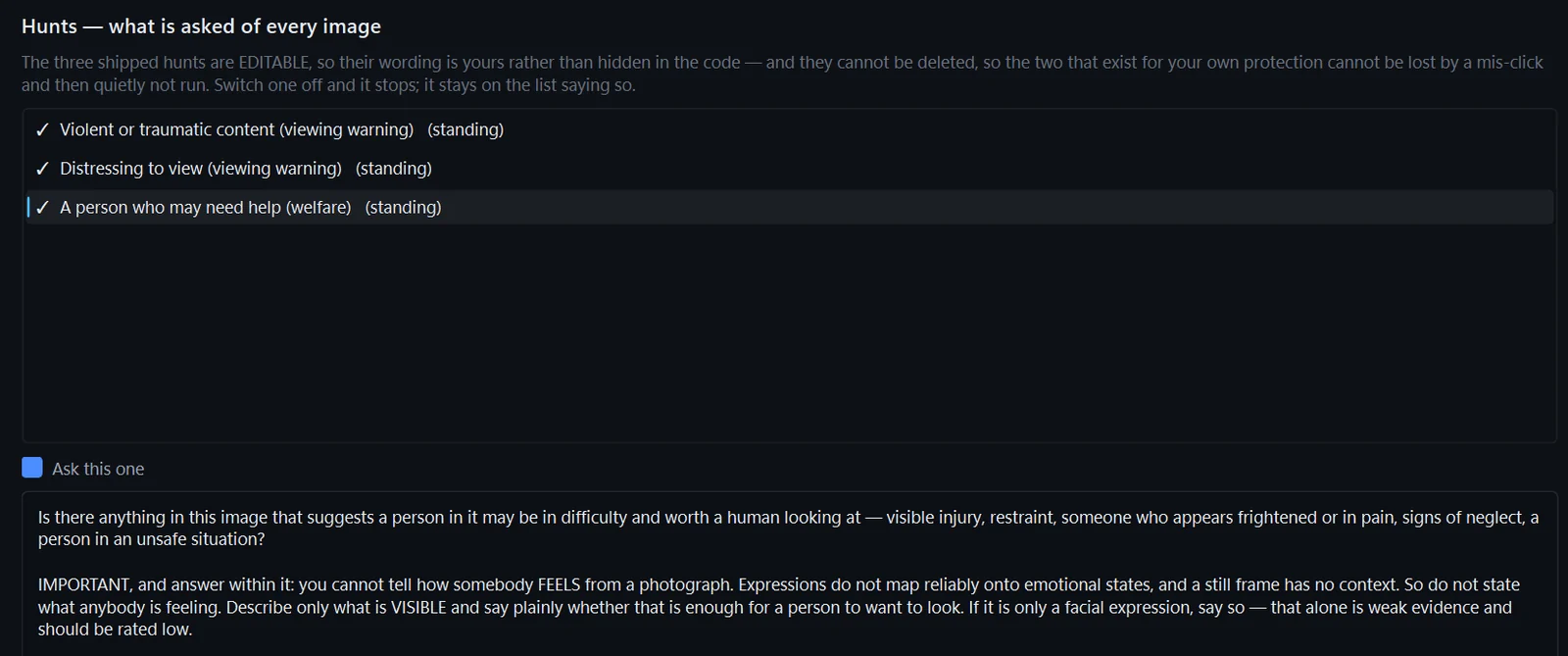
- Hunts. One hunt is one question about one image. A library of 75 ships with three switched on, and every question is yours to edit. Cheap gate hunts guard the rest: if an image has no text or no vehicle, the hunts that depend on it are not asked, and ATK says so rather than reporting a silent no.
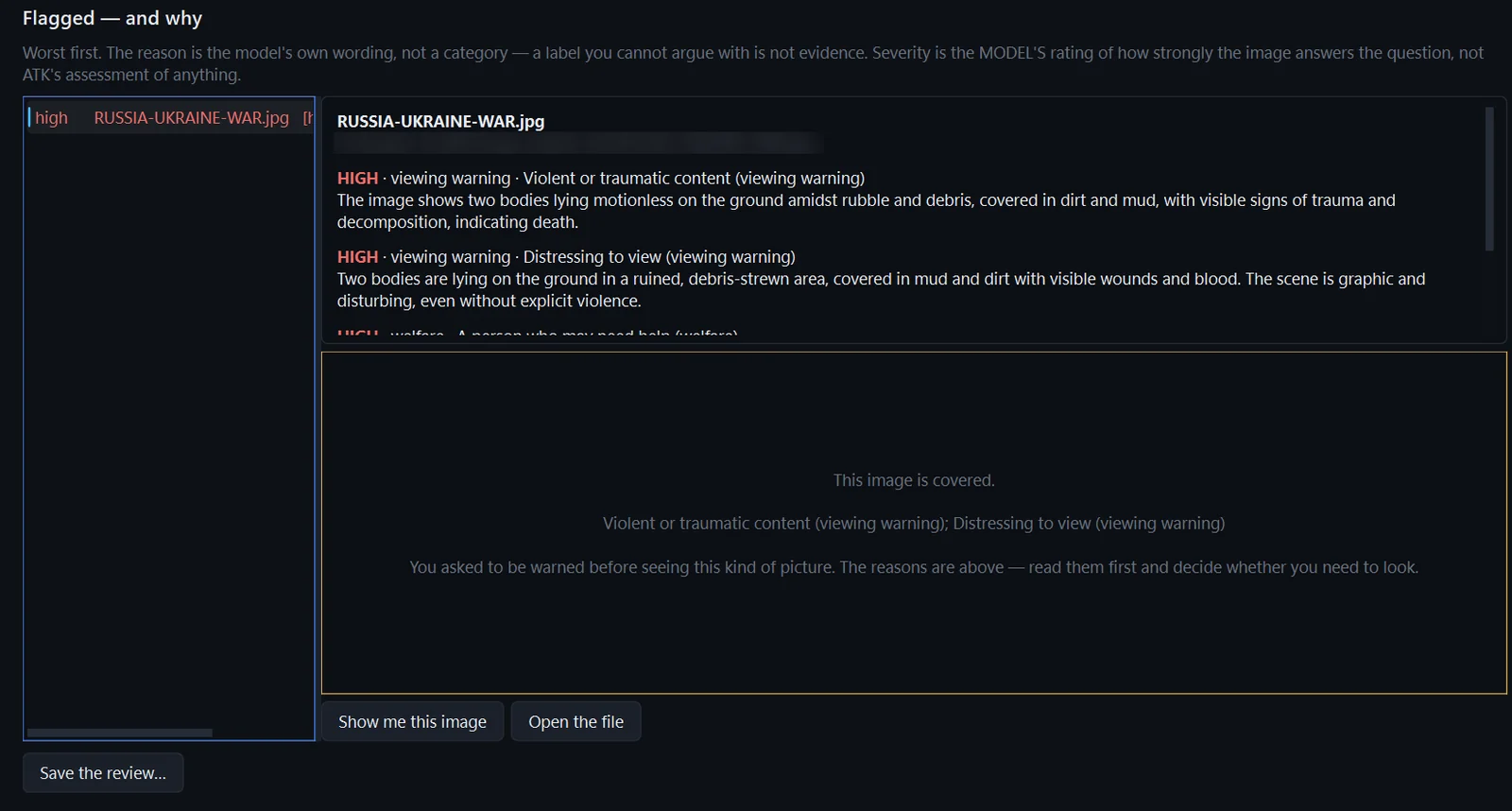
- Standing protections. Viewing warnings for violent or distressing content, and a welfare hunt for a person who may need help. They can be switched off but not deleted.
- Ask what is visible. A question that asks the model to infer intent or identity gets an answer, and the answer is invention, so hunts ask about what can be seen.
- A flag is a queue, not a verdict. Flagged images come worst first, with the model's own words as the reason rather than a category. Confirm, remove, undo, or take an image into Chat to discuss it.
- Nothing flagged is not a clean folder. Recall has not been measured, so an image that was not flagged has not been cleared, and ATK says so.
- No identification. No faces are matched and no attempt is made to identify a person or a place. Emotional state is not read off a face.
- Spectral Stack. Aligns photographs taken through different filters and shows what each one captured that the others did not.
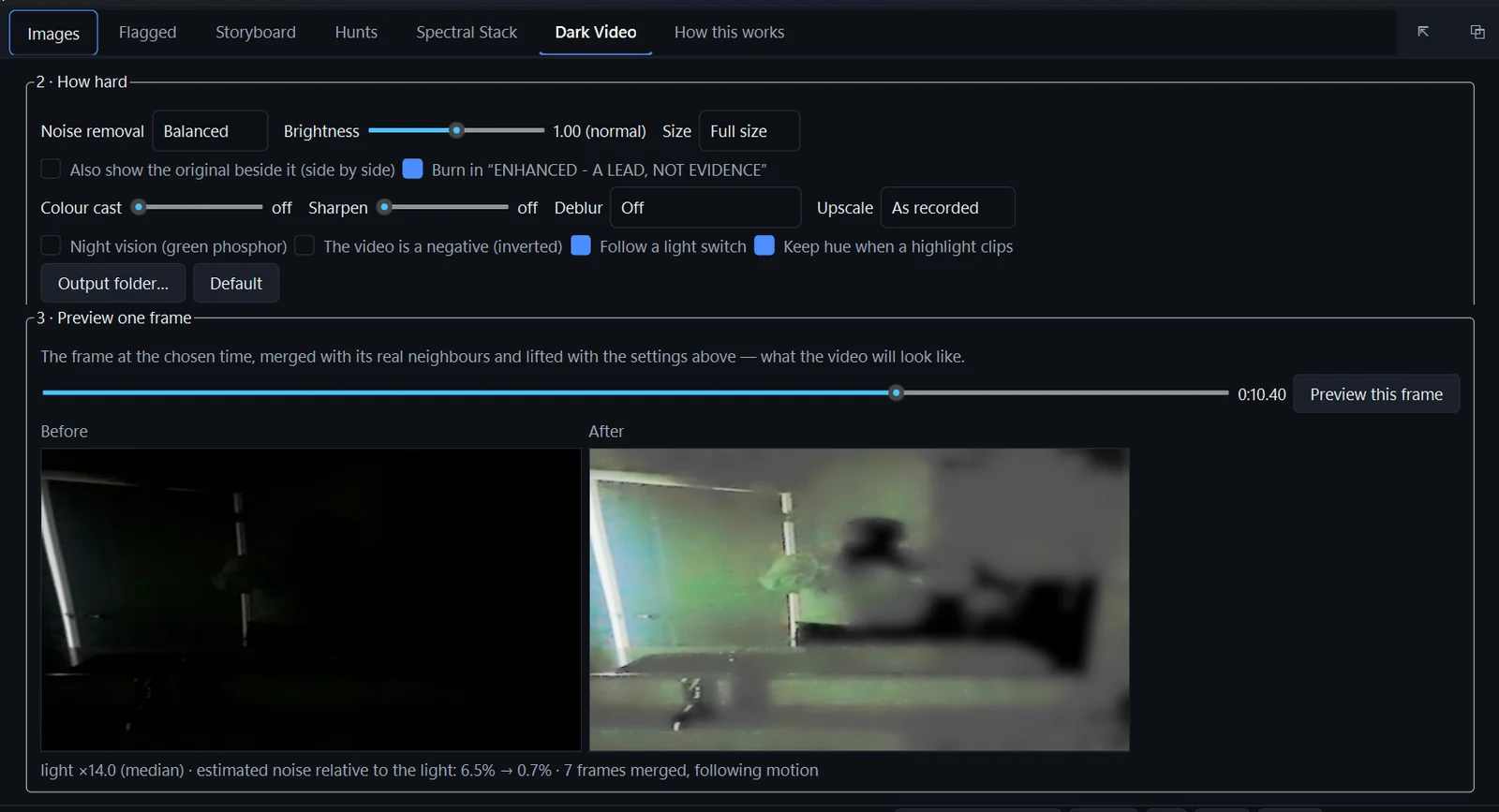
- Dark Video. Brightens low-light video by merging each frame with its real neighbors and following motion, reports how much light was added and how the noise changed, and can burn "ENHANCED - A LEAD, NOT EVIDENCE" into every frame.
Local AI
Language models run on the laptop. ATK reads the graphics card it finds, prices each model before loading it and works to a memory ceiling you set, so the same install behaves sensibly on a field laptop and a workstation.
- Chat and Cowork. Chat over your documents with attachments and images, and send results to the graph, the map or a profile in one step. Edits to messages keep an audit trail.
- Real-time bilingual intermediary. Speak in your language; ATK translates and speaks for you.
- Thinking Workshop. Describe each team member's job in plain language. Members answer in isolation, in parallel, and one primary reply draws on all of them, showing who contributed and who declined.
- DiffusionGemma. A diffusion language model for chat, text revision and code repair.
- Athena. A wellbeing companion built from nine isolated voices under a constitutional check.
- An assistant in nearly every workspace. Each one sees only what it is given and is checked by something other than the model. See AI assistants.
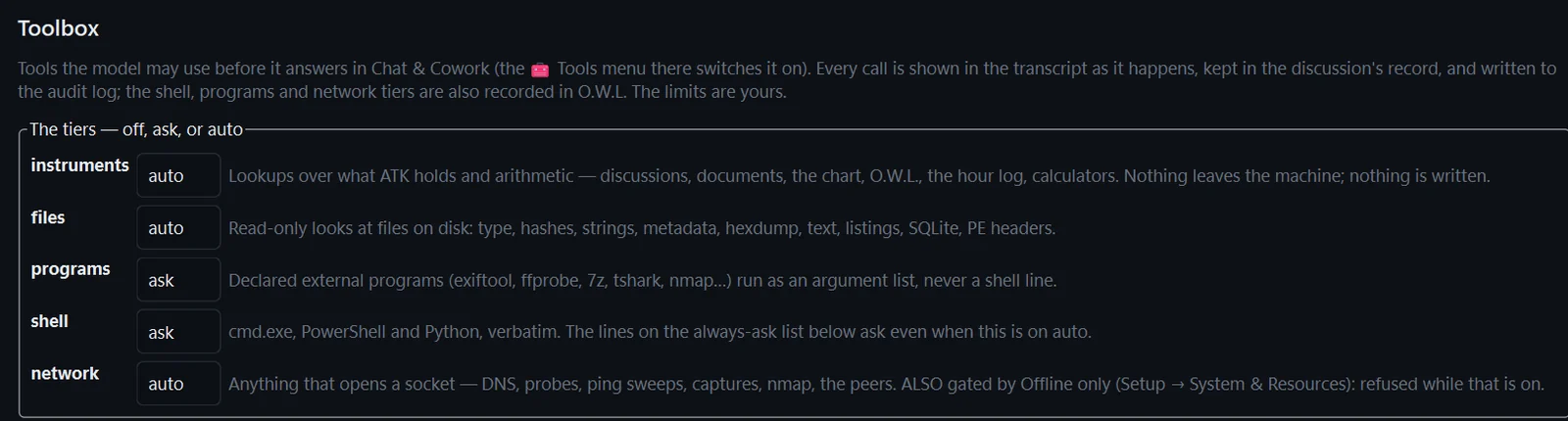
- Toolbox. Tools the model may use before it answers in Chat: lookups over what ATK holds, read-only looks at files, declared programs, the shell and the network. Each tier is off, ask or auto, and the operator sets it. Programs run as argument lists from a template, never as a shell line. Shell commands that delete or format always ask, key and credential files are never read, network tools stay inside private address ranges unless the scope is widened, and Offline only refuses them entirely. Every call is shown as it happens, kept in the discussion's record and written to the audit log.
- Online only when you choose. The core can point at a commercial model provider. Keys are encrypted to the Windows account, every answer is stamped remote, and Athena, Cognitive Coder and the Thinking Workshop refuse to run online.
Model Lab: forensics on model decisions
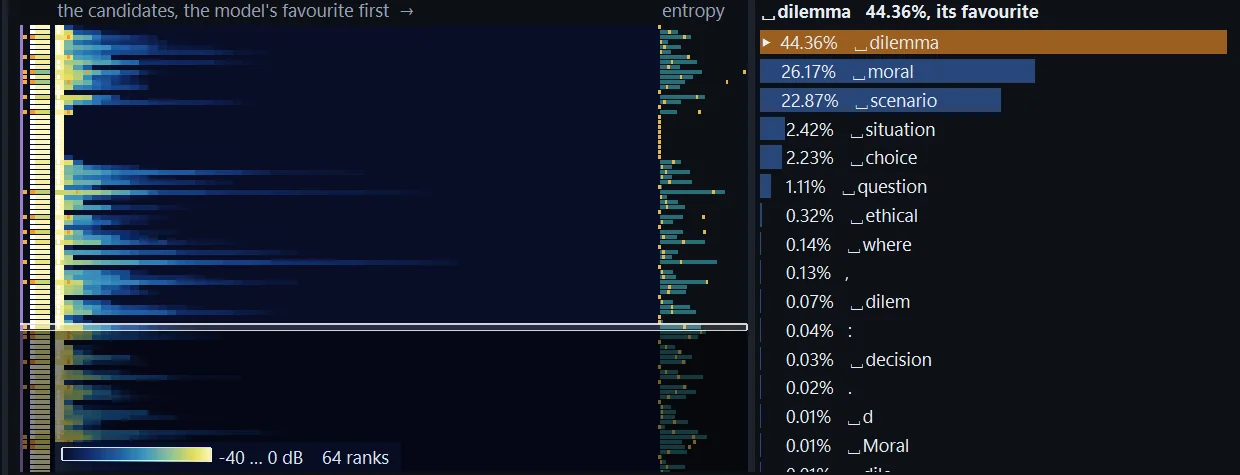
When an AI answer matters, Model Lab shows how the model arrived at it. Record a reply, replay it token by token, and see where the model hesitated and what it nearly said instead. Model Lab is an experimental workspace.
- The Waterfall. Every token the model wrote, with everything it was choosing between at that moment: the reply along the top, time down the screen, the candidates across, and the chosen token highlighted on every row. Recording does not change a single token of the reply.
- Moments of doubt. Jump straight to the steps where the model struggled to decide.
- Recorded where the work happens. A reply in Chat can be recorded for Model Lab with one switch.
- The expert map. For mixture-of-experts models, which experts the model used at every layer, shown beside each token. Field-proven
- Decision depth. The lens reads every layer's output and finds the first layer from which the model's eventual answer stays its answer. It checks itself against the model's own final output and reports MEASURED only when they agree.
- Measure, don't assume. Every number is labeled measured, declared, estimate or experimental. A model file is never modified, and nothing is downloaded or uploaded.
AI coding
Cognitive Coder writes, builds and debugs code in a project folder with the loaded model, and trusts compilers and tests, not the model.
- Generate, verify, repair. Plans the files, writes them part by part, then builds and tests them. In diffusion mode, a repair rewrites only the lines the error is in.
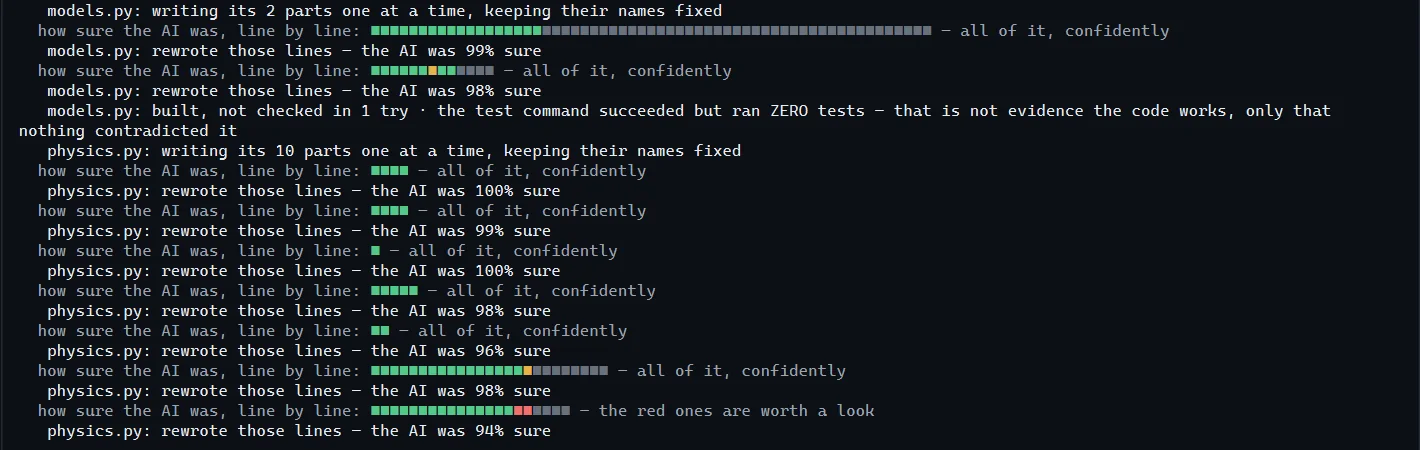
- Verified means verified. A test command that ran zero tests is reported as no evidence, not a pass, and a mutation check asks whether the tests would fail if the code were wrong.
- The doubt map. See how sure the model was of each line it wrote. The uncertain lines are the ones worth reading.
- Contained. Work stays inside the project folder, and every change can be undone byte for byte.
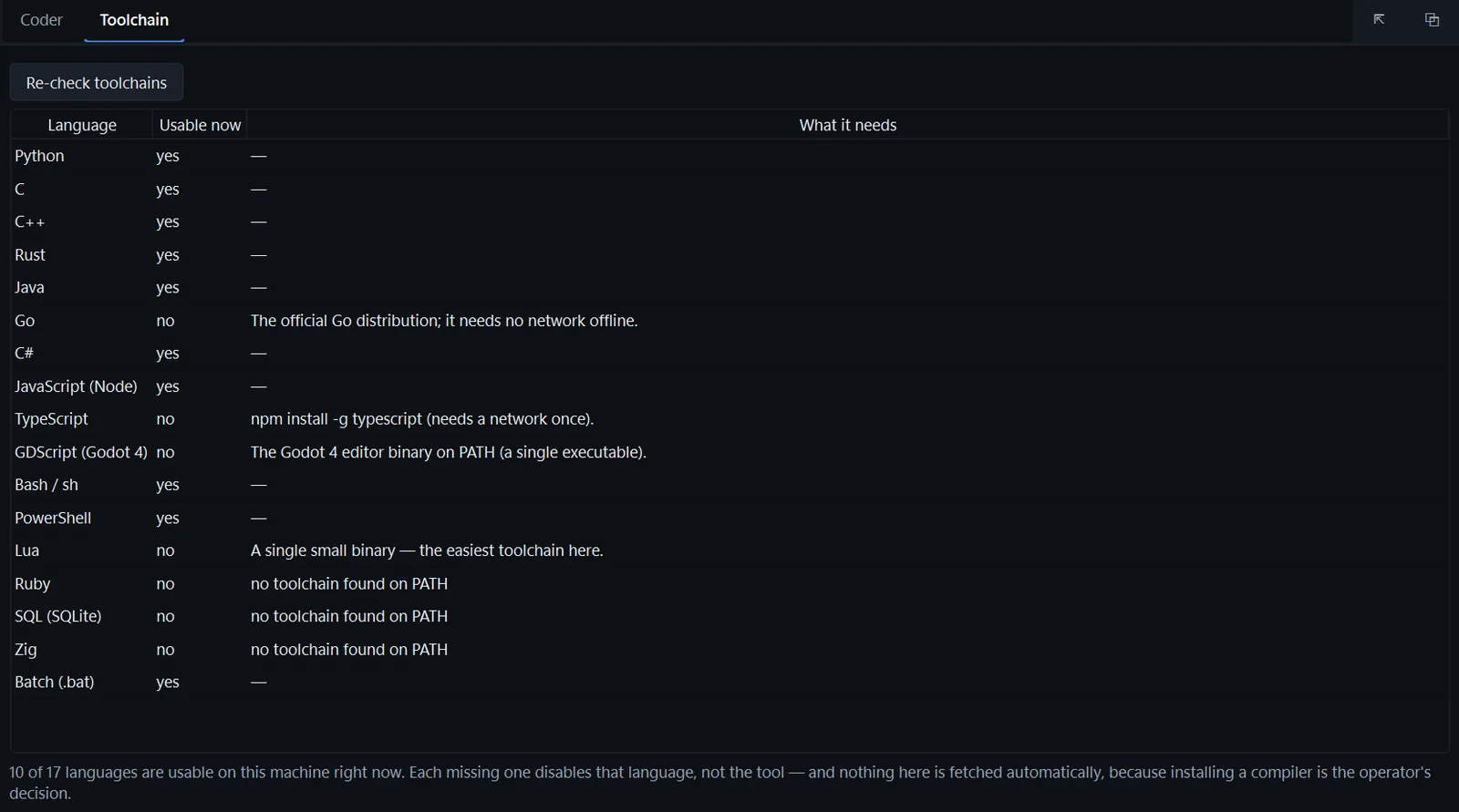
- What this machine can build. A toolchain page checks 17 languages and says which ones are usable now and what each missing one needs.
Medical Support
Decision support, not a medical device. Never a substitute for a doctor, a pharmacist or a nurse.
Medical decision support for teams working where help is far away: field medicine, medication checks, findings, a chart, lab results, clinical consults and the references they quote from. Where a clinician can be reached, it produces the questions to bring them. Where one cannot, it is a way of thinking carefully, and it can still be wrong.
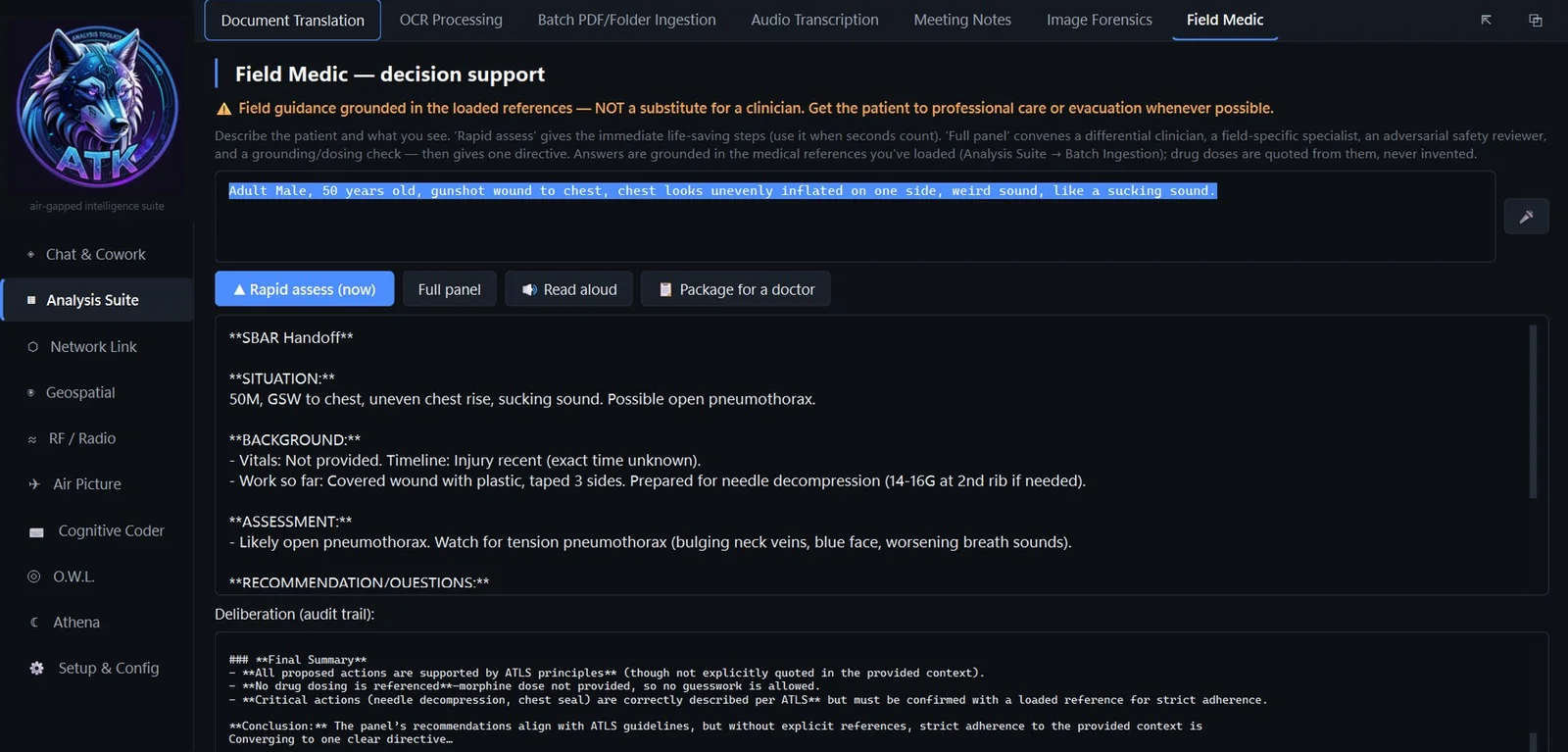
- Field Medic. Rapid assessment when seconds count, or a full panel with a red team, and a package for a doctor as an SBAR handoff. Field Medic deliberately has no chart, because treating the stranger in front of you from the last casualty's chart is worse than having none.
- Doses are quoted, never invented. One grounding rule runs through every tab: a dose is quoted word for word from a loaded reference with its source, and a dose that is not in the references is refused rather than guessed.
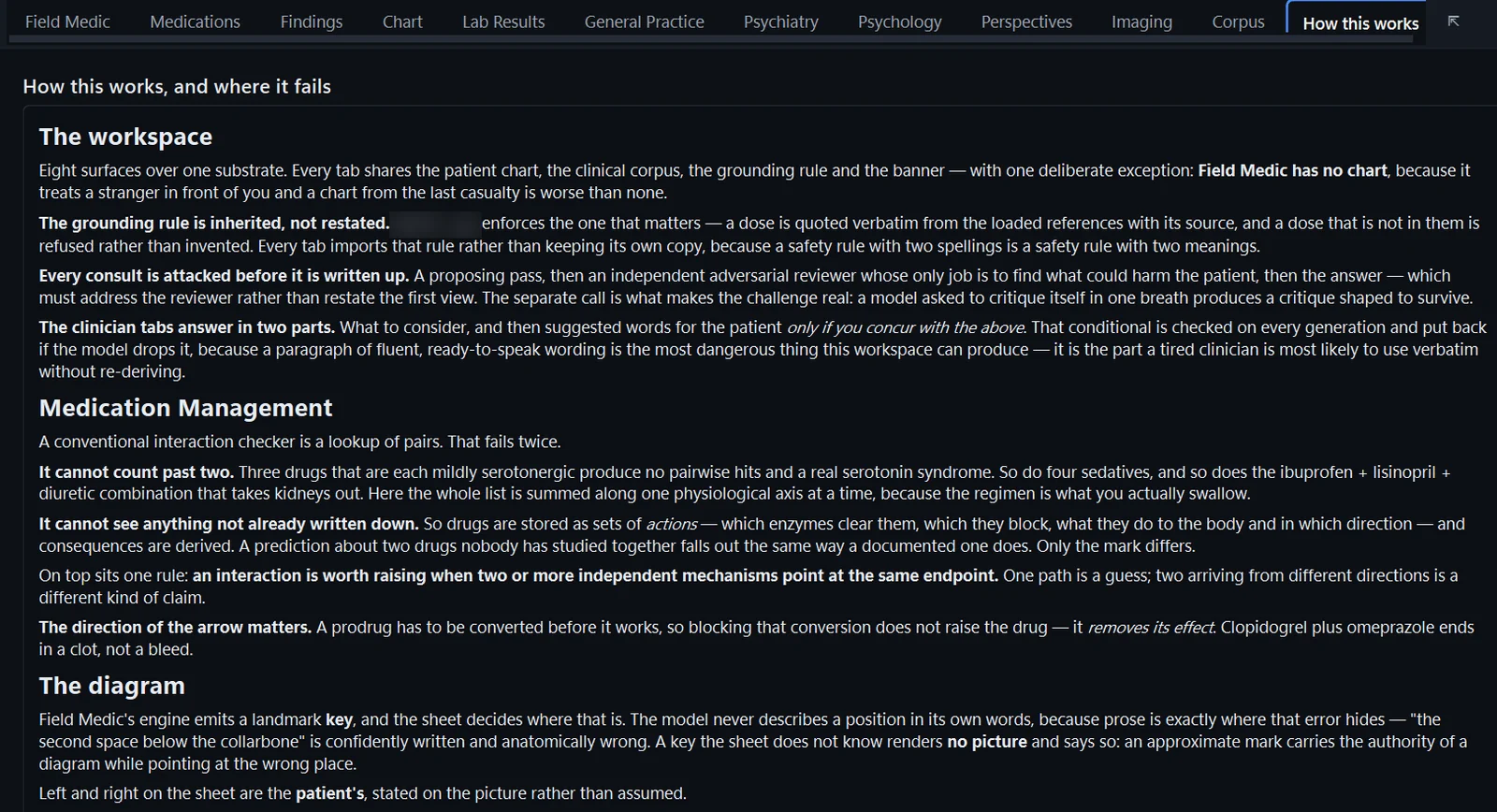
- Every consult is challenged before it is written up. General practice, psychiatry and psychology consults each get a proposing pass, then an independent reviewer whose only job is to find what could harm the patient, then an answer that must address that reviewer.
- Two-part answers. Clinician tabs give what to consider, then suggested words for the patient only if the clinician concurs. The condition is checked on every answer and put back if the model drops it.
- Medication Management, with no model. A conventional checker looks up pairs. ATK stores each drug as the actions it has, which enzymes clear it, what it blocks and what it does to the body, then sums the whole regimen one physiological axis at a time. Three mildly serotonergic drugs that produce no pairwise warning are caught together.
- Mechanisms, not guesses. An interaction is raised when two or more independent mechanisms point at the same endpoint, and direction matters: blocking the activation of a prodrug removes its effect rather than raising it.
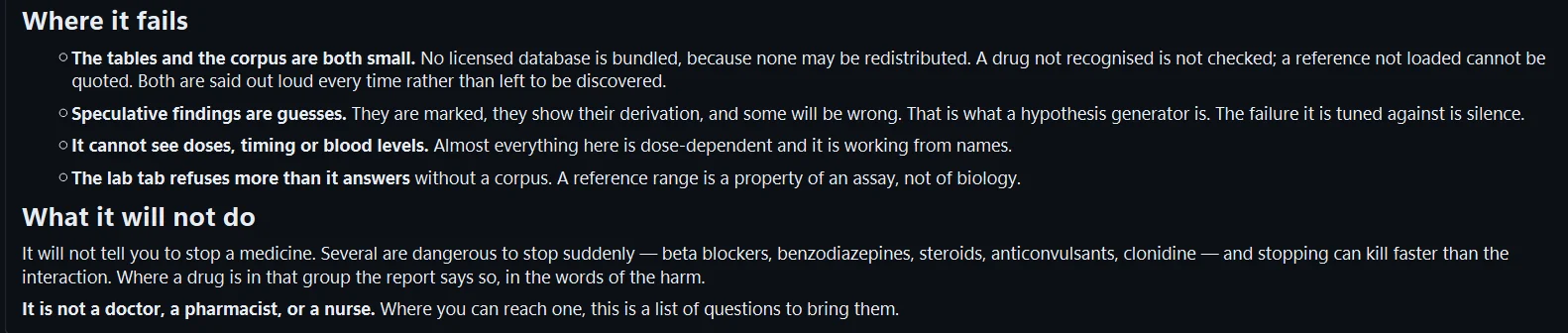
- It will not tell you to stop a medicine. Several are dangerous to stop suddenly, so where a drug is in that group the report says so, in the words of the harm.
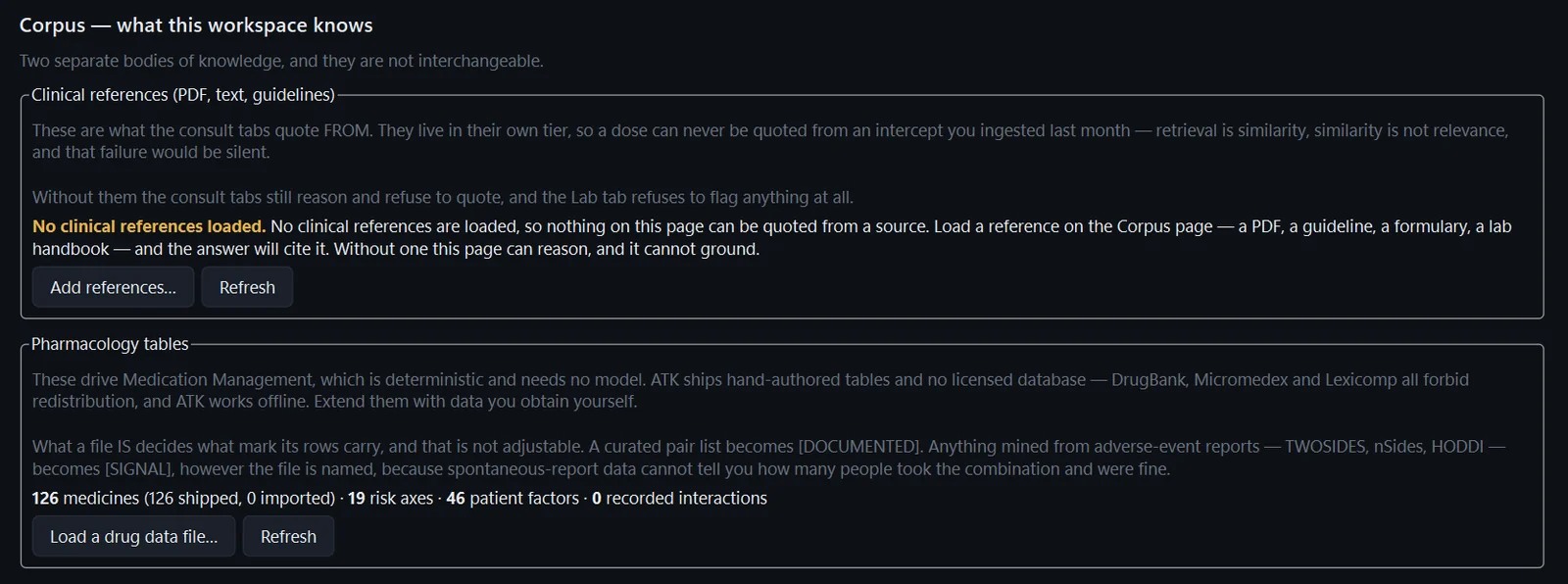
- Two bodies of knowledge, kept apart. Clinical references live in their own tier, so a dose can never be quoted from an unrelated document that happened to look similar. The pharmacology tables ship with 126 medicines, 19 risk axes and 46 patient factors. No licensed drug database is bundled, because none may be redistributed; you can load data you obtain yourself, and curated pairs are marked documented while data mined from adverse-event reports is marked as a signal.
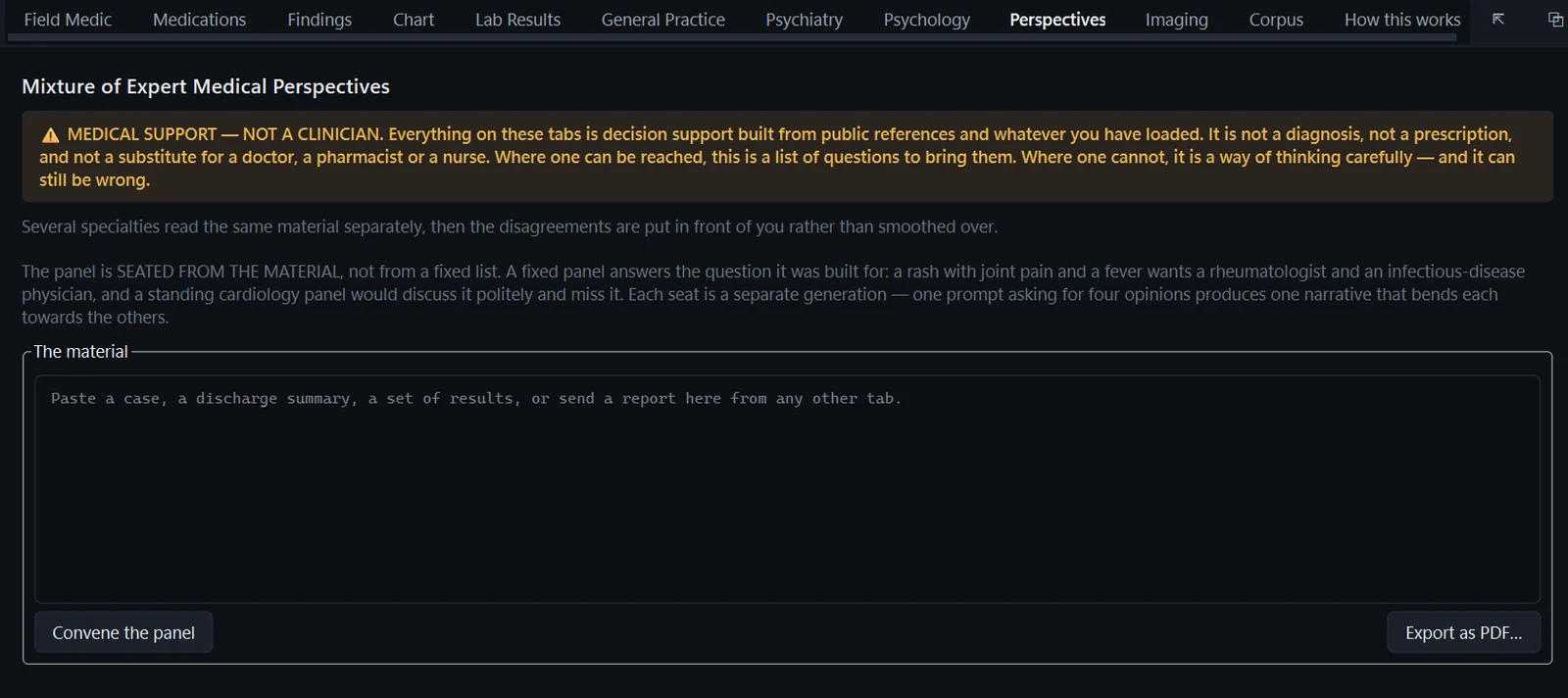
- Mixture of Expert Medical Perspectives. The panel is seated from the material, not from a fixed list. Each specialty reads separately, and the disagreements are put in front of you rather than smoothed over.
- Where it fails, said out loud. The tables and references are small, a drug it does not recognize is not checked, and it cannot see doses, timing or blood levels. Speculative findings are marked as guesses.
- Imaging stays empty on purpose. General vision models produce fluent, confident radiology with nothing to mark it as invented, so the Imaging tab stays empty until a model trained on medical images can run locally. For a scan, the honest answer remains a radiologist.
Relief audio
- AURA, audio for relief teams. Generates announcements and translated audio for camps and relief operations. ATK is never the transmitter: the deploying organization routes the audio through its own broadcast chain.
Working as a team In development
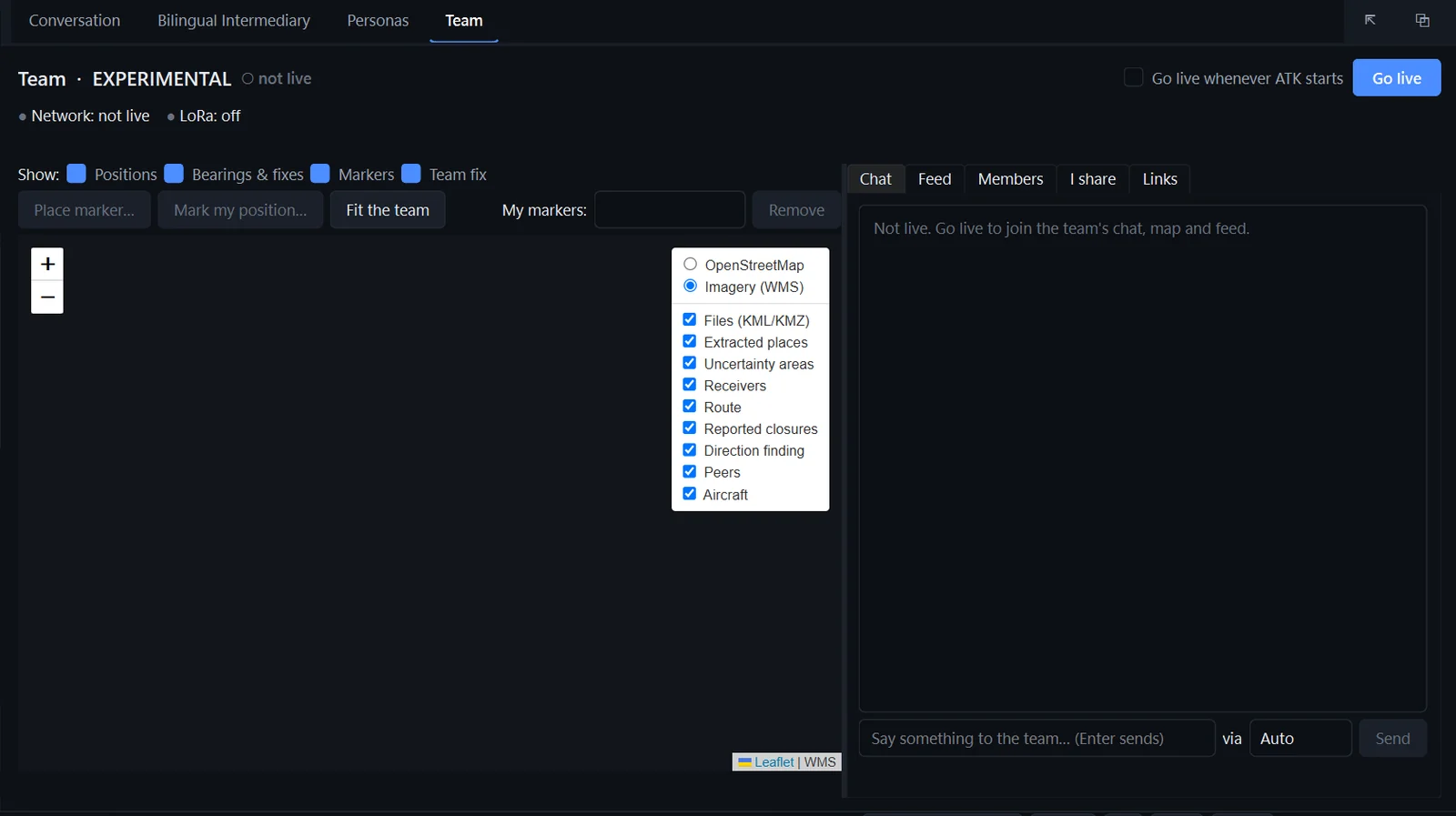
Several ATKs can join into one team, with a shared map showing every member's position, bearings, fixes and markers in their own color, plus team chat and a feed of what members share.
- Nothing is shared until you tick it, one category at a time: position, DF bearings and fixes, RF intercepts, alerts above a severity, and chosen network projects.
- Two links. The network carries everything. When there is no network at all, an optional LoRa radio link between team members carries positions, DF results, markers and short chat. It needs LoRa radio boards fitted, and it is the only part of ATK that transmits over the air. In development
- Joining is simple. One ATK hosts, and the others join with a code or an invite.
Running ATK
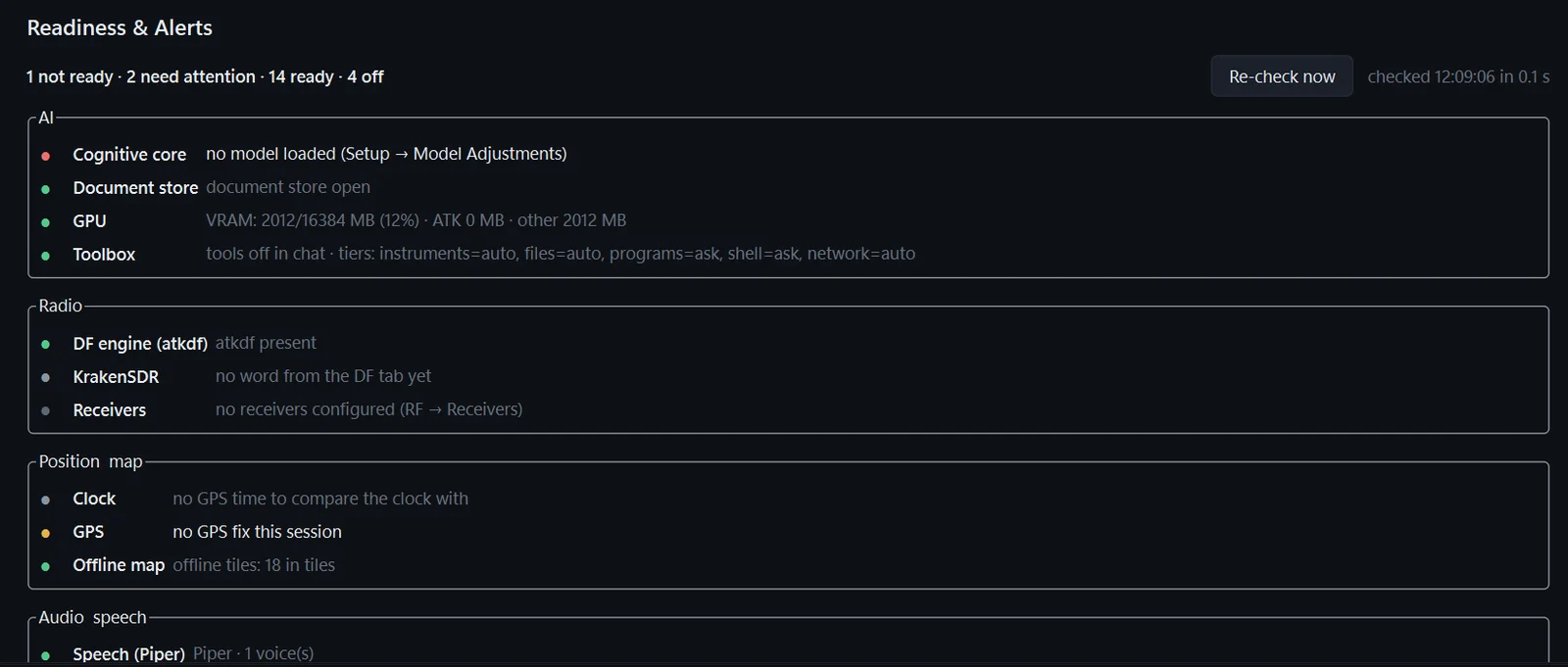
ATK installs into one folder with its own interpreter, changes nothing else on the machine, and tells the operator plainly what is working.
- Readiness and alerts. One page checks every subsystem, from the language model and GPU to the DF engine, receivers, GPS, offline map and speech, and says what is ready, what needs attention and what is off.
- Only what you need. Subsystems you will not use this session can be switched off so they allocate nothing.
- One switch for the network. Offline only, on by default, stops map tiles, imagery, online receivers, downloads, package installs and the online core.
- Back up and restore. One file holding settings, discussions, charts, the ledger, the search index, notes and outputs, checked file by file when it is written and again before anything is put back. With a passphrase it is encrypted with AES-256 as it is written. The ledger's key and any online API keys stay with the Windows account, so a backup restored elsewhere does not open them.
- Updates that touch only what changed. An update shows what is new and reinstalls only what it needs. Models, data, settings and logs are never touched, and ATK asks before doing anything.
- A missing part costs one feature. Anything the installer could not reach is listed with what it disables. The application still starts.
Planned
Designed, or built as an engine but not yet in the interface.
- Cell-site simulator detection. Spot a fake cellular tower from its broadcast behavior.
- Radar warning. Alert when a known radar emitter is detected.
- Accountable access. Sensitive capabilities behind a role-based unlock, an audit log that shows any tampering, and a separate report for supervisors.
- Long-term memory for local language models.
Licensed by workbench
Each workbench is licensed separately and its documentation ships with the license. Ask for a briefing on the capabilities your mission needs.